Unifying the Administration Experience
More than twenty admin pages, three teams, no shared vocabulary. The fix couldn't be twenty redesigns — it had to be a system.
Role
Lead Designer
Company
Oracle
Year
2024
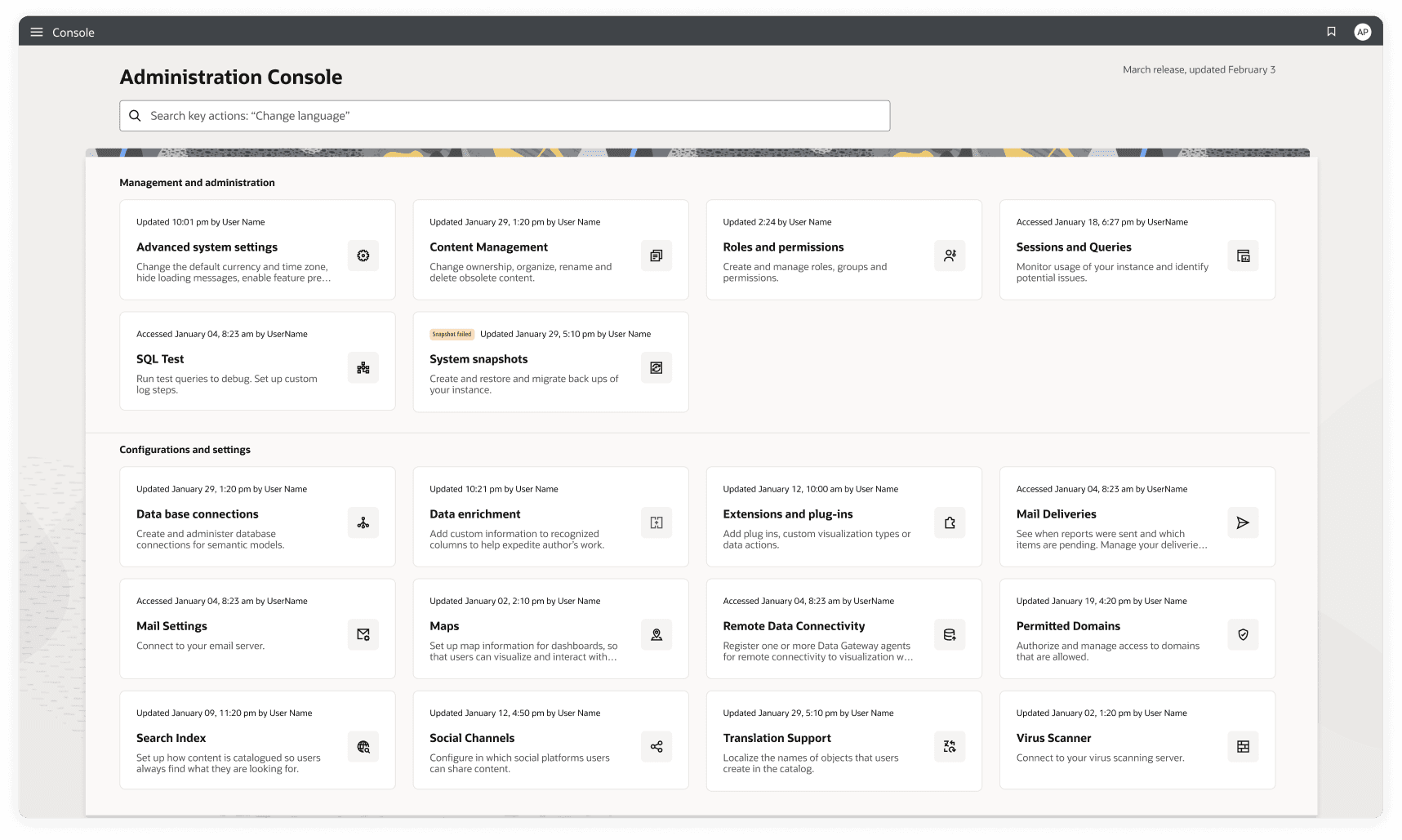
The rebuilt console home — every page it links to built from one of three patterns.
The question I couldn't stop asking
Why should three teams on three tech stacks mean three disconnected experiences?
01 — The Problem
More than twenty admin pages built by 3 teams with no shared system. Administrators couldn’t find what they needed, and the teams couldn’t align on a fix.
Challenges
- ↳
3 development teams, each owning different admin sections on its own tech stack.
- ↳
Patterns had to be buildable in each team's existing stack — nobody was going to rewrite their app to adopt them.
- ↳
Known usability problems that had accumulated for years as a low priority.
- ↳
No existing alignment between teams: getting buy-in required proof, not promises.
Goals
- ◎
Demonstrate that central Design System patterns improve — not just change — the admin experience.
- ◎
Consolidate more than twenty inconsistent child pages into a small set of flexible, reusable patterns.
- ◎
Ship a POC that earns buy-in and sets a clear roadmap for incremental rollout.
02 — The system
Admins enable everyone else’s work, and nobody had ever designed for them. So the question wasn’t how to redesign twenty pages — it was whether we already had patterns that solved most of them.
These pages were genuinely badly designed — years of admin surfaces shipped as whatever each team had time for, because admin UX was nobody’s priority even though admins are what make everyone else’s work possible. They did need redesigning.
So I audited every page, analysed what they were actually doing, and asked whether the Design System already answered most of it. It did — three patterns covered nearly all of them. I redesigned against those instead of from scratch, built a POC with the dev teams to prove it held up in their stacks, and turned it into a rollout plan they could run without me.
01
Audit
Catalogued every child page across the admin sections. Documented inconsistencies, usability failures, and pattern fragmentation.
02
Pattern research
Analyzed Redwood's design system components for fit. Identified 3 flexible patterns that could cover all admin use cases.
03
POC
Built a working proof-of-concept for the console home and 3 child pages. Shared with dev team leads to validate technical feasibility.
04
Rollout strategy
Defined a staged implementation plan with team-by-team mappings, component guidance, and a shared governance model.
03 — Console home
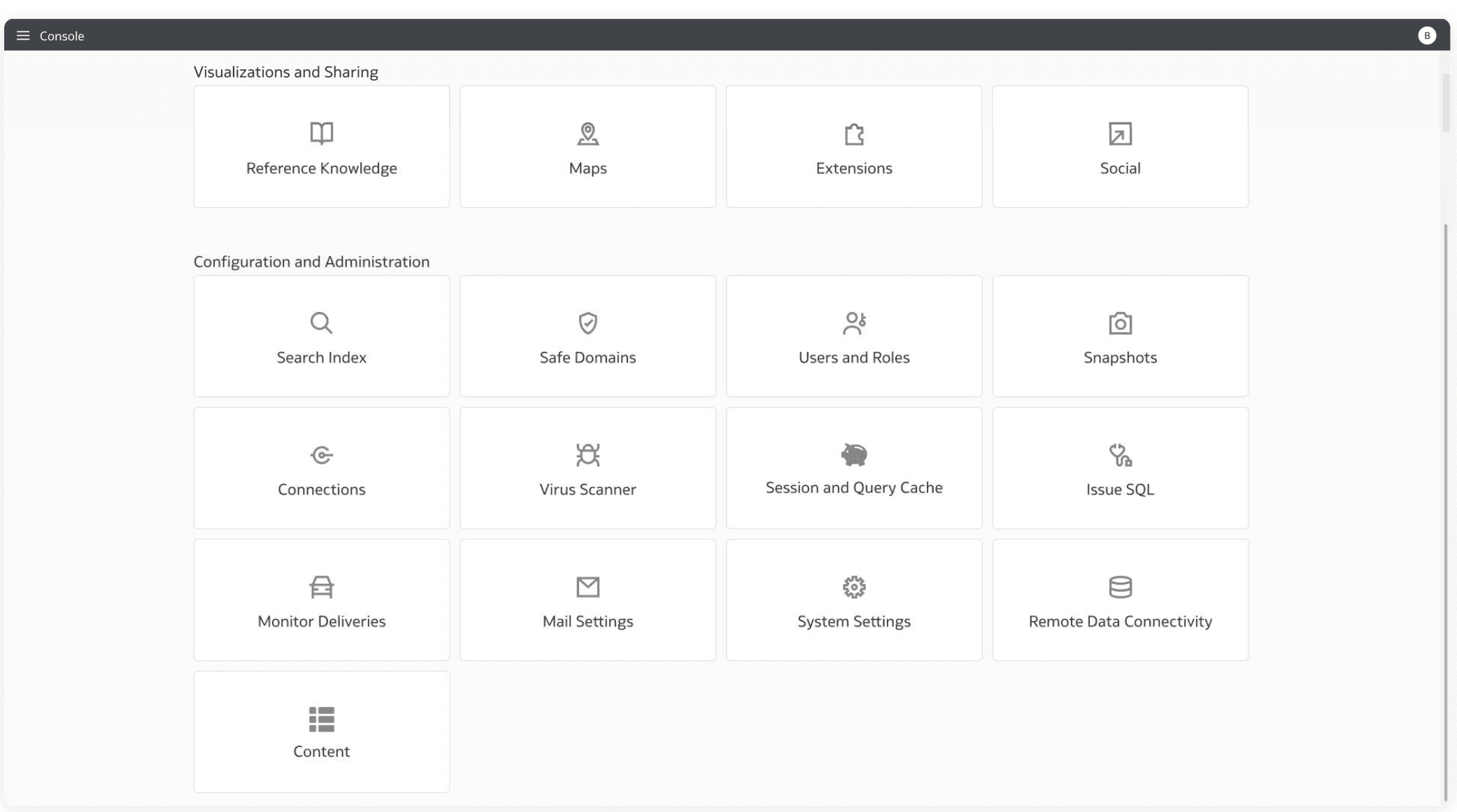
- — Sparse
- — Hard to find what you need
- — Hard to know what's possible
- — No way of knowing if something needs attention
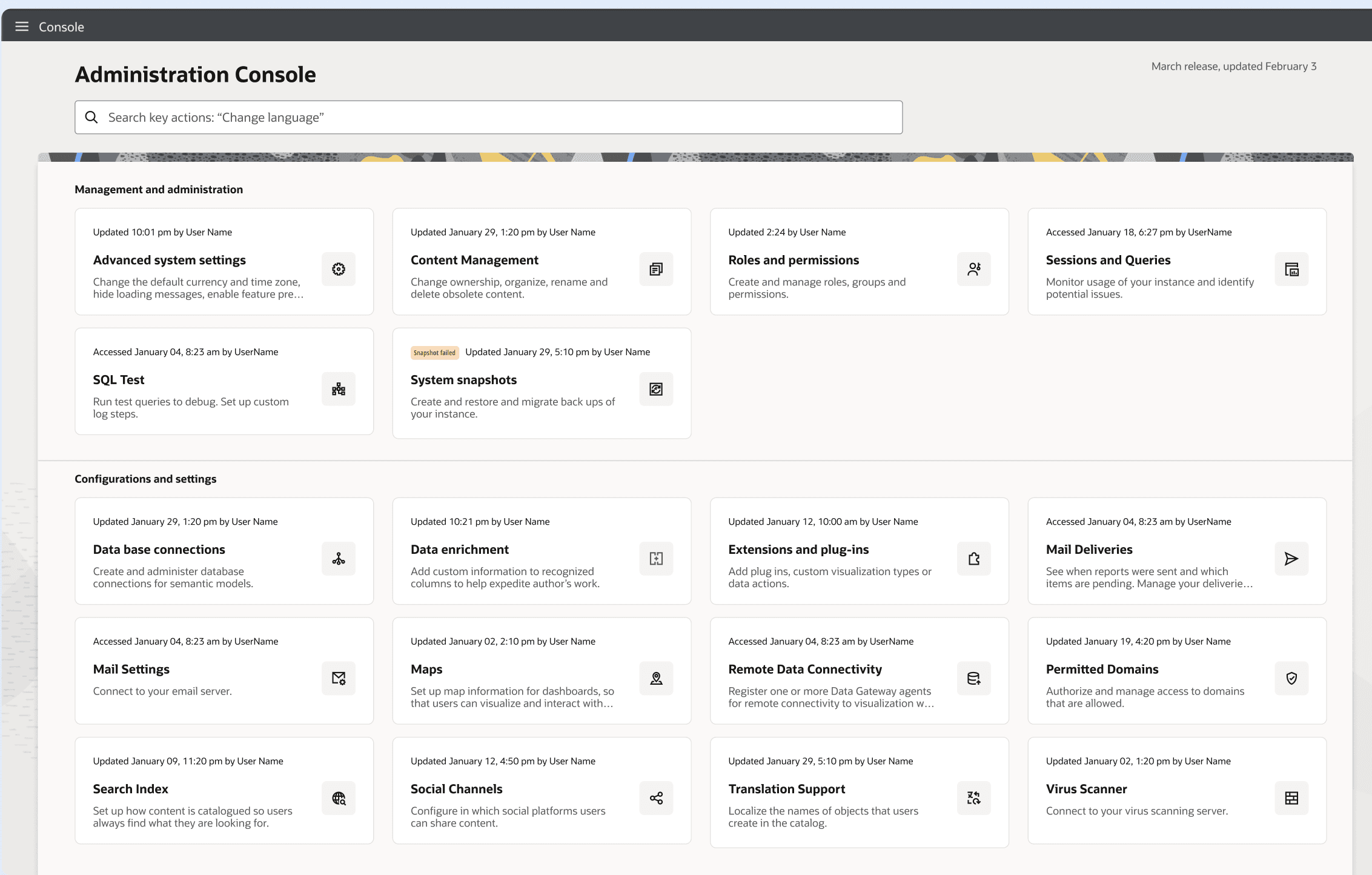
- ↳ Compact cards with descriptions, and a search box that takes you straight to the action you named
- ↳ Categories and IA based on the types of work people actually do
- ↳ Metadata that surfaces what needs attention at a glance
04 — From many to three
From more than twenty pages with unique designs
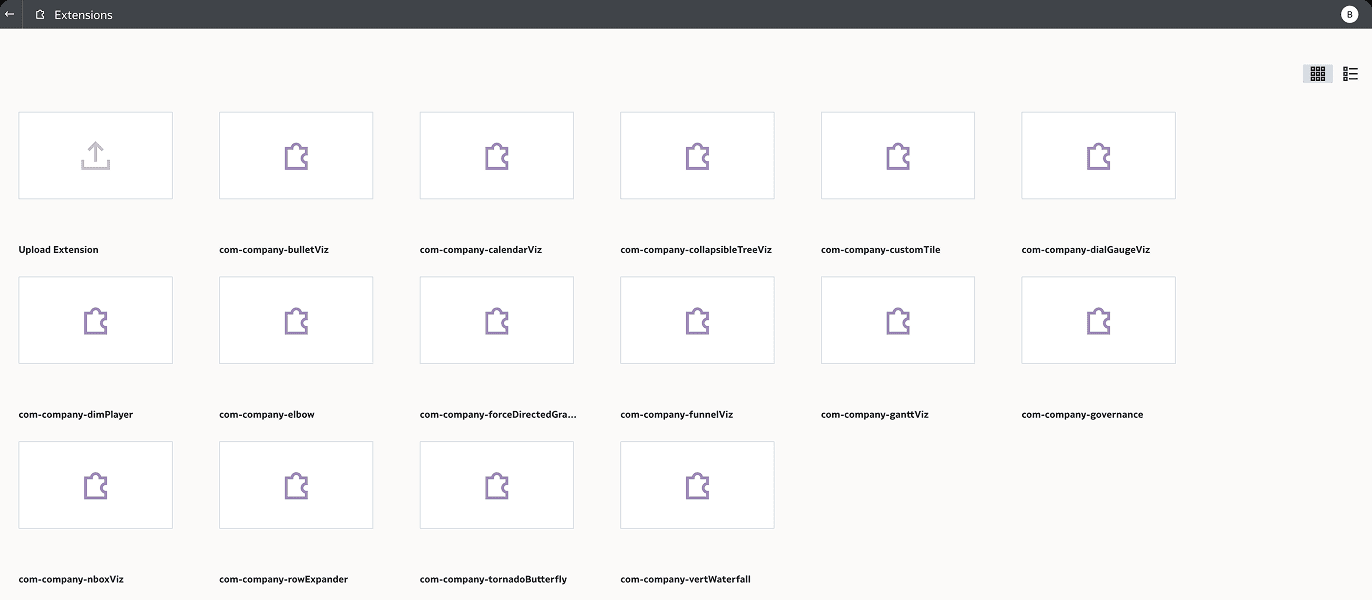
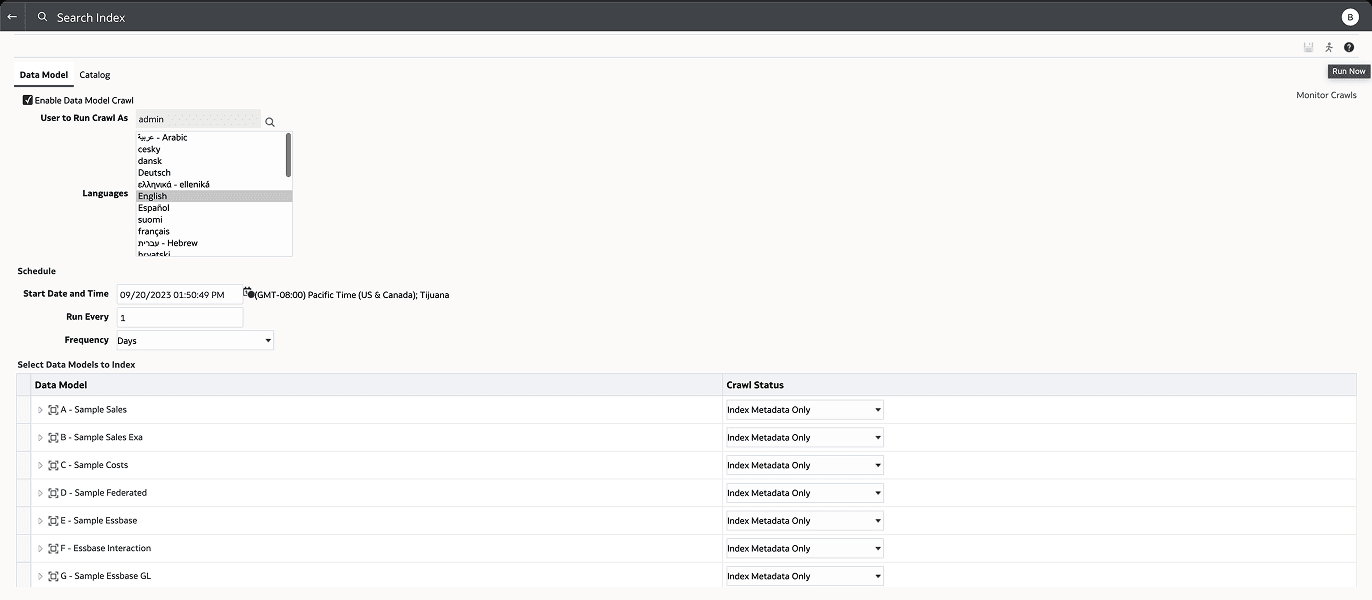
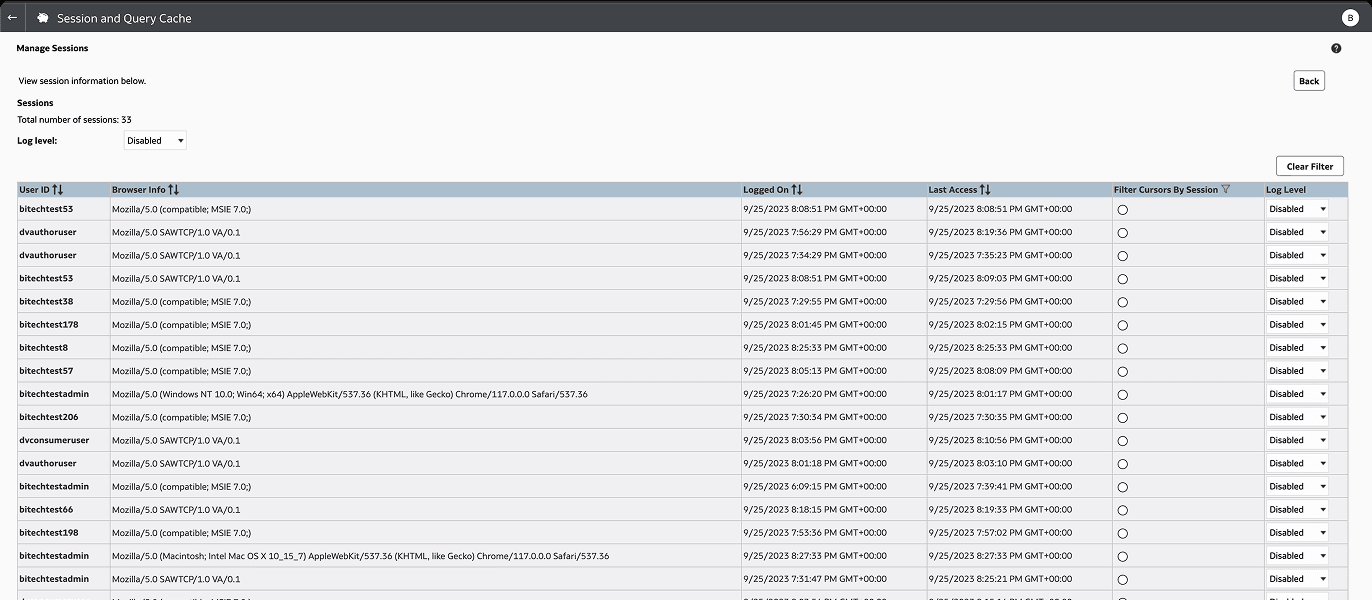
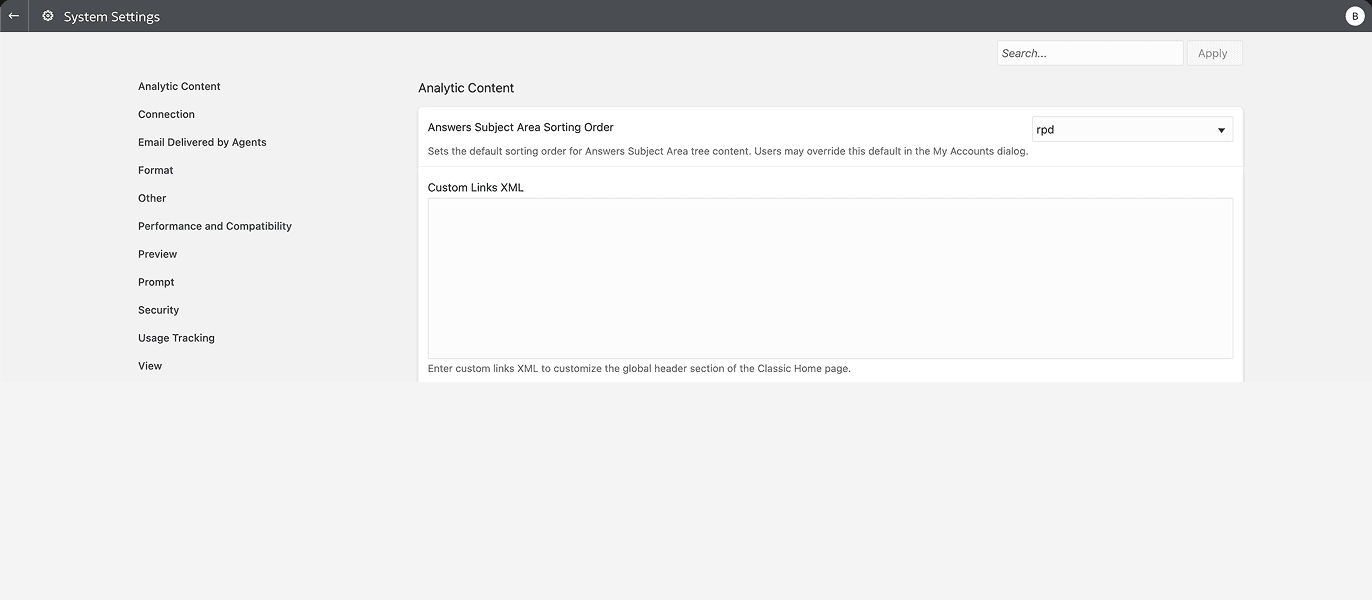
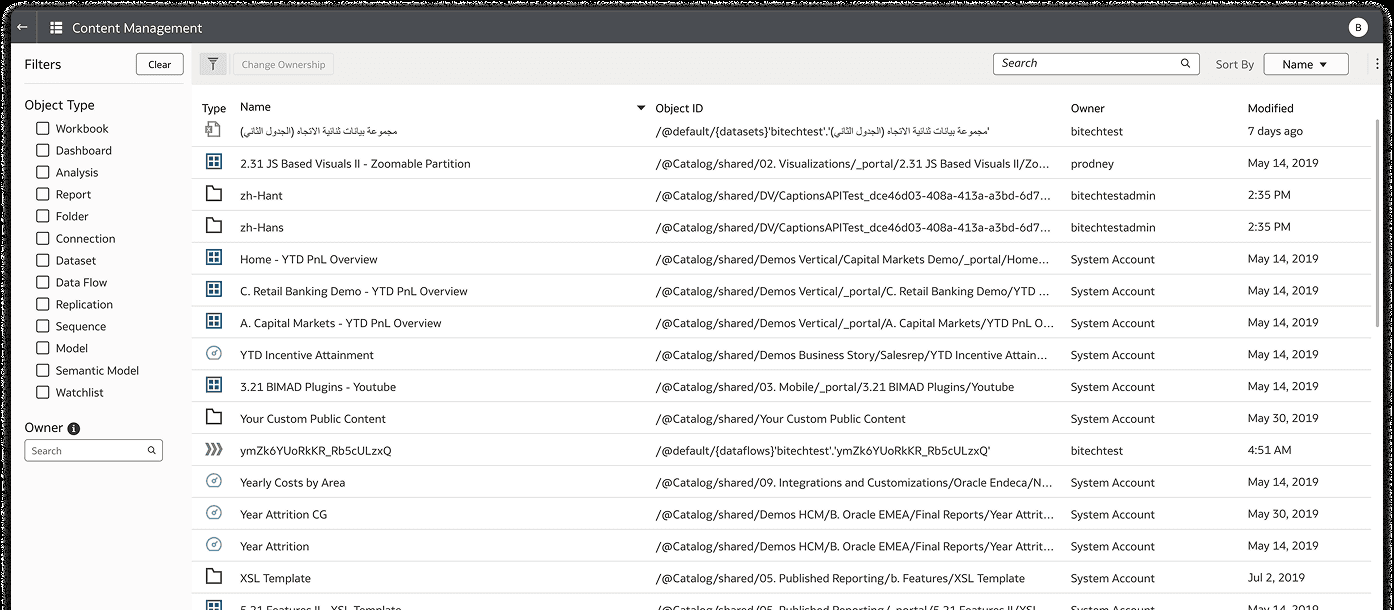
Tile grid · Form + nested table · Dense table · Side nav + form · Filter rail + table
To 3 flexible design patterns that work across admin use-cases
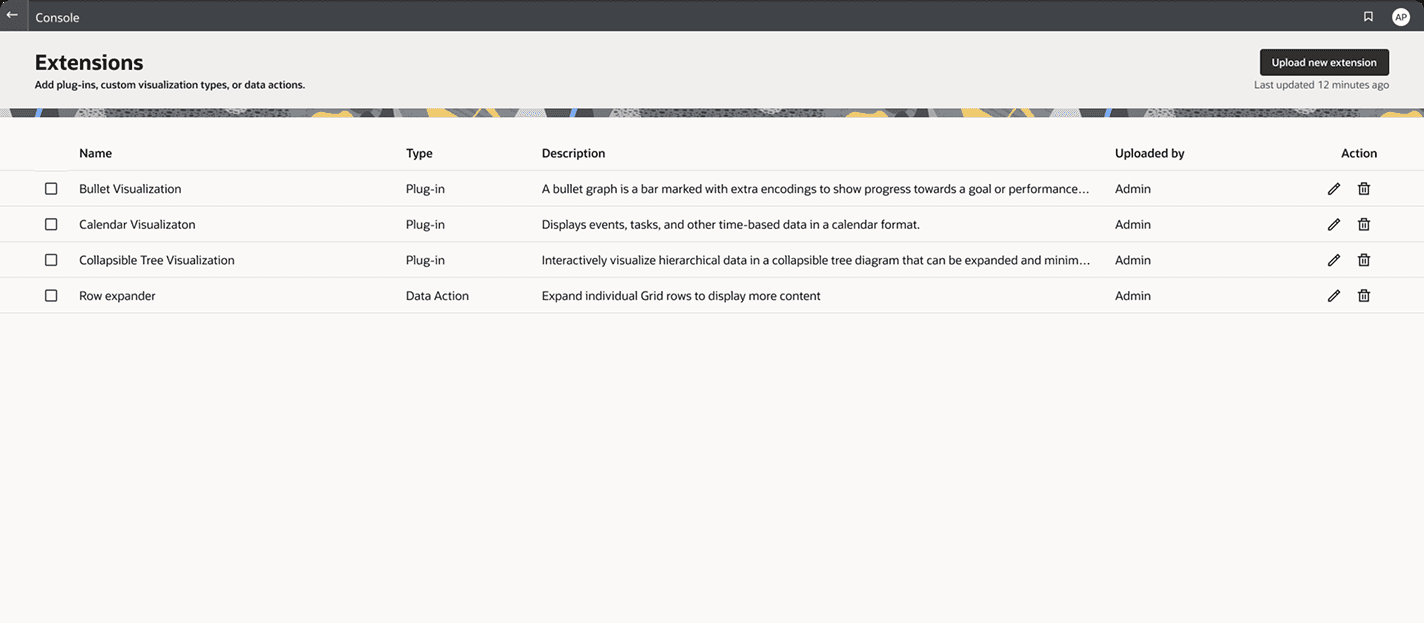
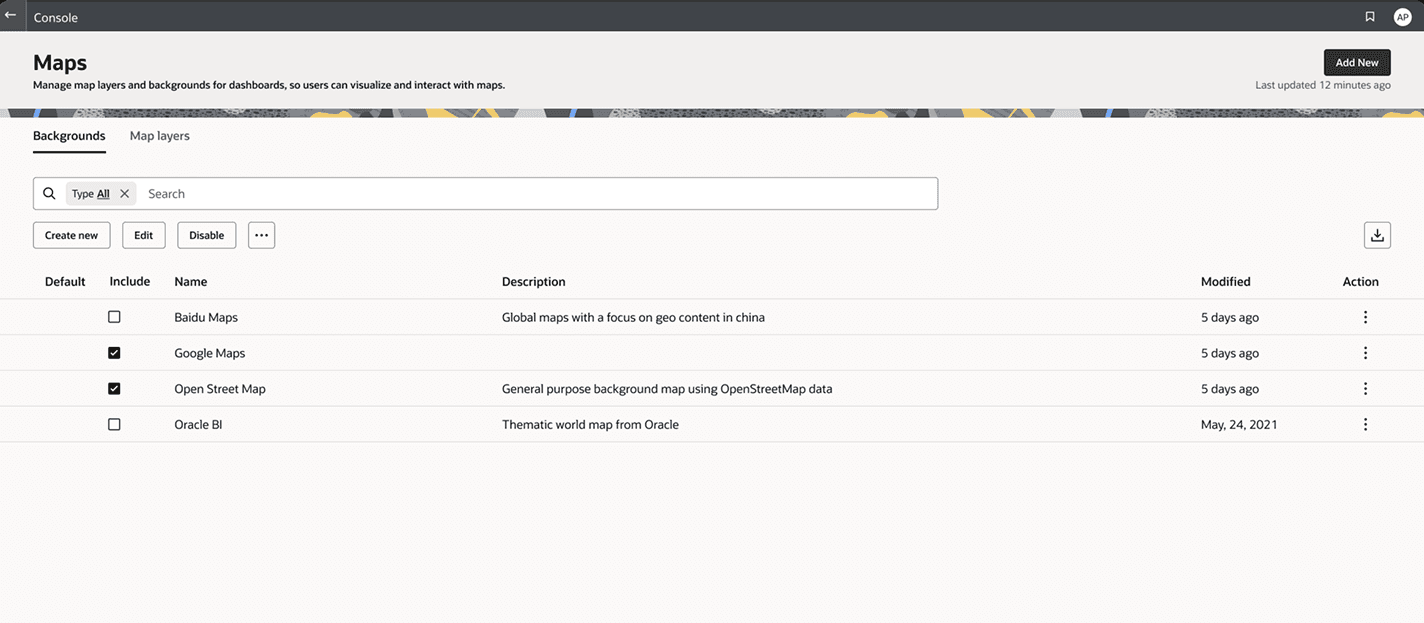
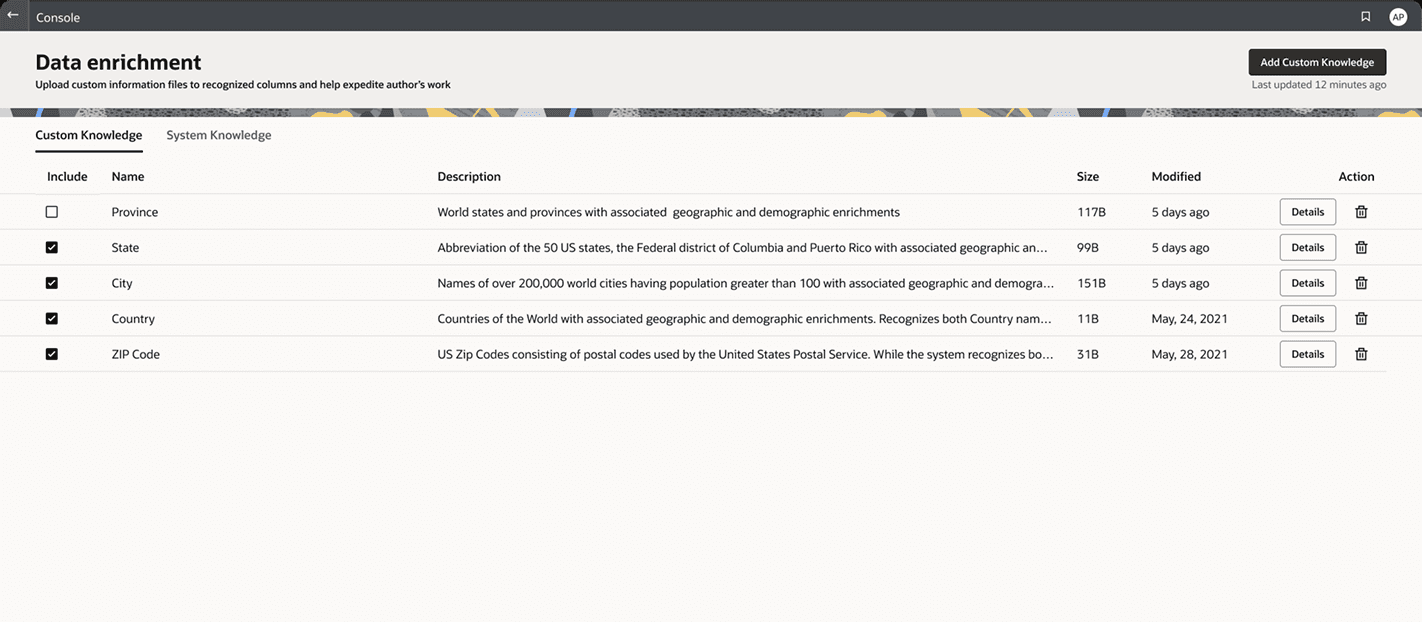
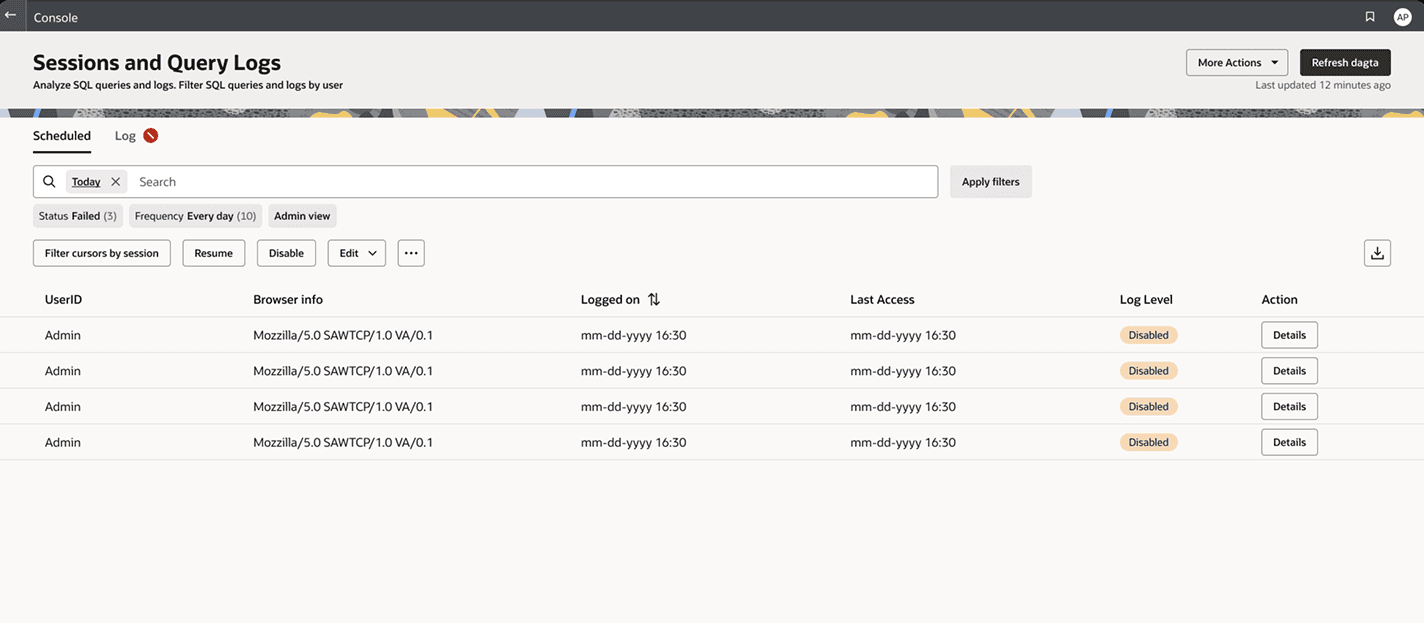
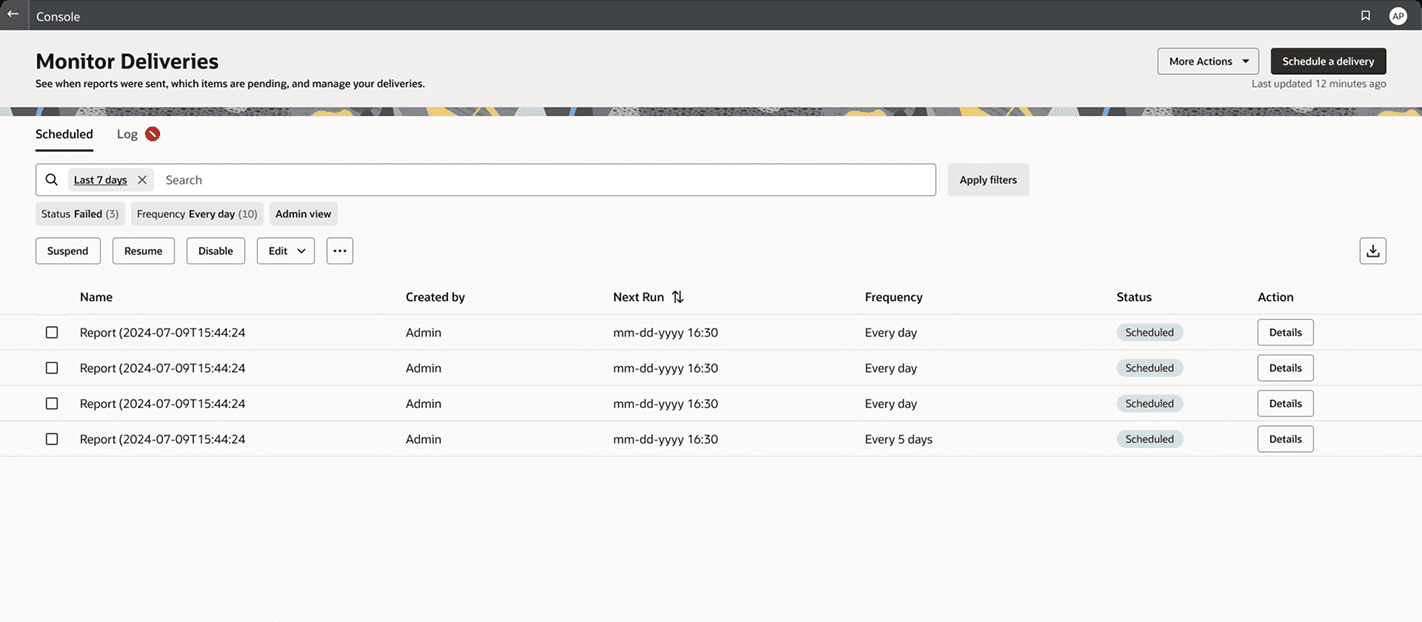
Every page resolves to one of three patterns — no new design required.
01
List + actions
Manageable sets of configurable items — extensions, connections, permissions.
02
Search + filter grid
High-volume data — sessions, logs, deliveries. Findability and status first.
03
Settings form
Configuration with grouped options — mail, maps, system settings.
05 — The Key Decision
The question
Full redesign in one go, or a phased POC-first strategy?
The reasoning
With three independent teams and low organizational priority, a comprehensive redesign proposal would have stalled immediately. The POC approach was a deliberate choice: ship something real, earn trust with working evidence, then expand. The console home redesign became the proof point that unlocked the broader rollout. Designing the strategy was as important as designing the interface.
06 — The Outcome
2
Administration consoles shipped with the new strategy
The second one shipped without me designing it page by page.
20+
Child pages rebuilt using the 3 new flexible patterns
Each one resolved to an existing pattern rather than a new design.
3
Development teams aligned on a single shared model
Three stacks, three backlogs, one set of rules they all build against.
- ◎
Pilot shipped — the POC strategy worked, earning buy-in from all three dev team leads.
- ◎
More than twenty unique page designs reduced to 3 patterns with clear rules any team can implement without a designer.
- ◎
Established design governance that now scales to other Oracle Analytics admin surfaces.
07 — Next
Next project
One Canvas for Building Agents